Website feedback that gets bugs fixed
Annotate any live page, auto-capture screenshots and browser context, then push straight to ClickUp, Jira, GitHub, or Slack — no email chains, no missing details.
15-day free trial · No credit card required
How it works
Three steps. Zero friction.
Up and running in minutes
One script tag. You're live.
Drop a single script tag into your site. Works with any stack — WordPress, HubSpot, React, Vue, or plain HTML.
Annotate & report
Anyone clicks anywhere on your live site to leave visual feedback with screenshots and auto-captured context.
Fix in your tools
Sync to Jira, ClickUp, GitHub, Slack, or 20+ tools in one click. No copy-paste, no lost context.
Features
From feedback to fix,
without the friction
Everything your team needs to pin issues, capture full context, and ship fixes — all in one place.
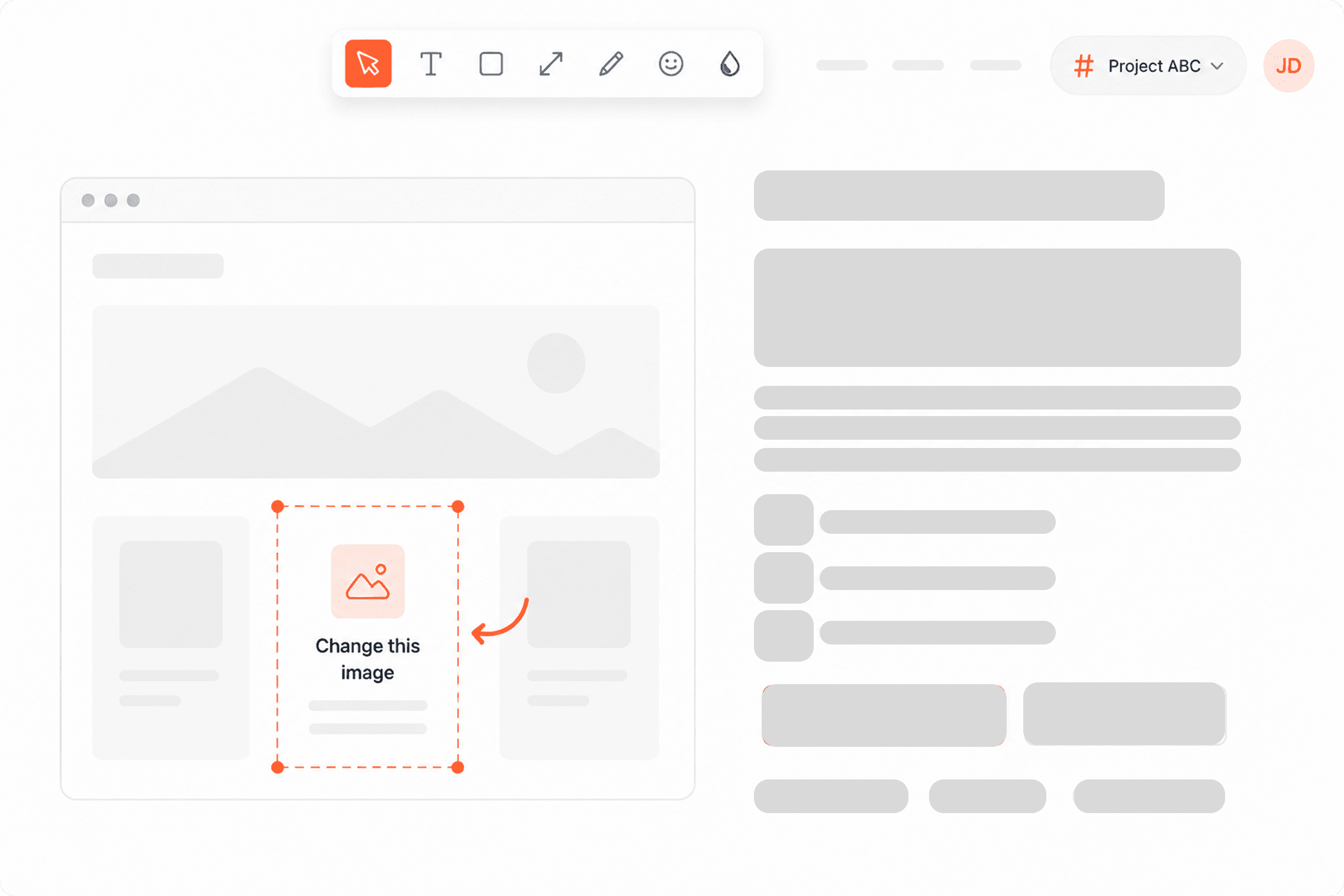
Pin feedback anywhere on your live site
Click on any element on a live page to leave a comment or annotation. Your whole team sees it instantly — no screenshots buried in emails, no context lost in translation.
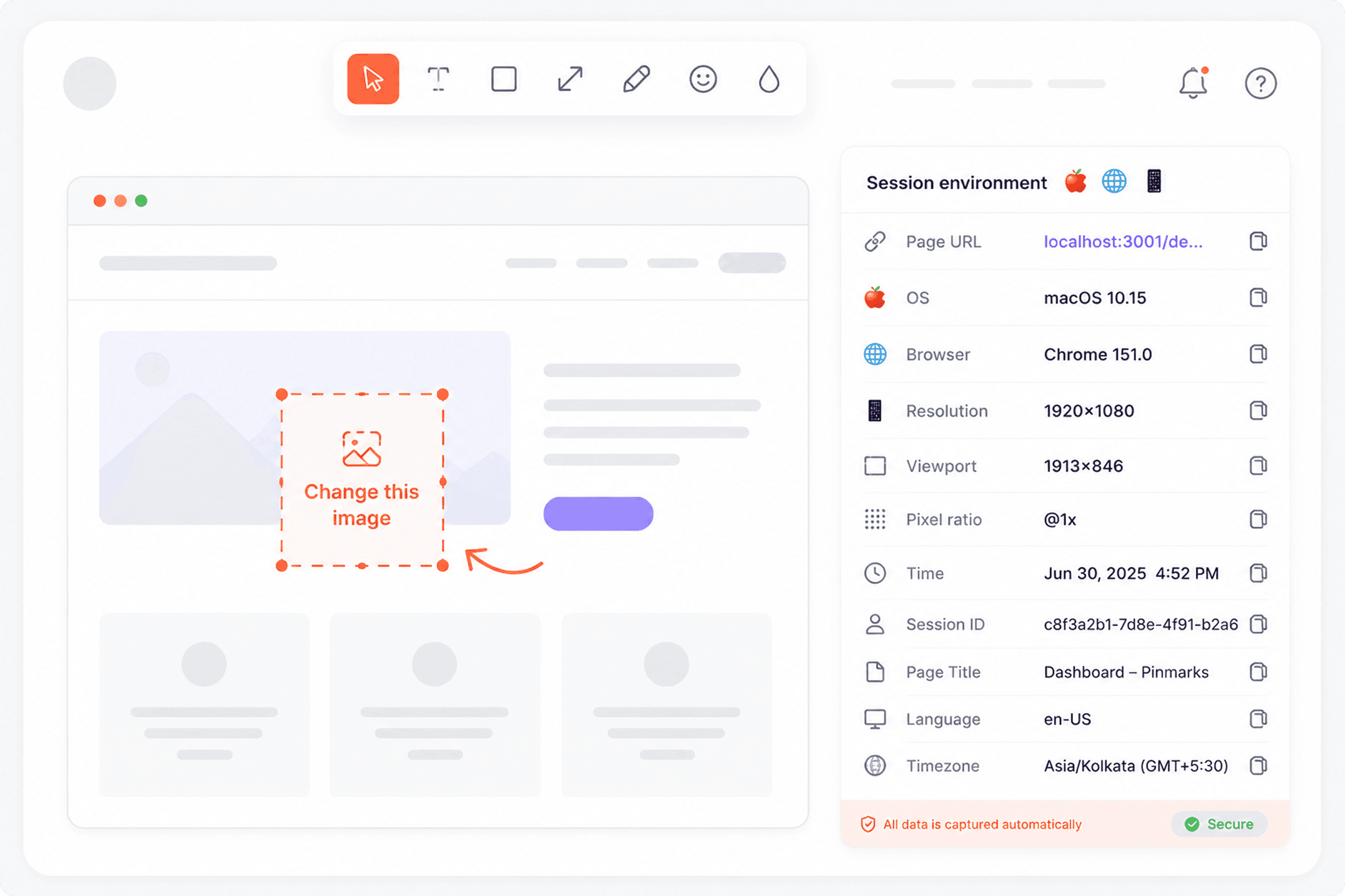
Every bug report ships with full developer context
Browser, OS, screen size, URL, console errors, and failed network requests — all auto-captured the moment feedback is submitted. Devs can reproduce it without a single follow-up question.
Watch exactly what happened, not just a screenshot
Session replay shows every click, scroll, and action leading up to a bug. Share the recording with your team — no more asking users to screen-record and send a video.
User clicked “Checkout” → 404 error appeared
All the discussion. None of the email chains.
Inline comments, file attachments, and status updates — all threaded to the exact issue on the exact page. Keep clients and developers in sync without leaving PinMarks.
Issue #42 — Login button broken
In ReviewButton not clickable on iPhone 14. Screenshot attached.
Reproduced. CSS z-index conflict on mobile. Working on a fix.
Status updated to In Review. Thanks everyone!
Changes in your tools reflect back in PinMarks
Push feedback to Jira, ClickUp, GitHub, or Slack in one click — and when the issue is resolved in your tool, PinMarks updates automatically. No manual status syncing, ever.
Status synced
Resolved ✓
Issue created
Jira #4821
Status update: Jira issue #4821 marked “Done” → PinMarks feedback auto-resolved
Full visibility into your feedback pipeline
Track total feedback, open issues, resolution rate, and average fix time — broken down by type and status. Know exactly where bugs come from and how fast your team fixes them.
Analytics
247
Total feedback
38
Open
189
Resolved
2.4d
Avg resolution
Feedback over time (last 30 days)
By type
By status
Integrations
Works where your
team already is
One-click sync to the tools your team uses every day — no copy-paste, no lost context.
ClickUp
Project ManagementPush feedback directly to ClickUp tasks. Keep your team moving without switching tools.
Jira
Project ManagementAuto-create Jira issues from every feedback report — screenshots, URL, browser, and OS all attached.
GitHub
Issue TrackerTurn website bugs into GitHub issues instantly. Developers get full context in one place.
Slack
CommunicationGet real-time Slack alerts for new feedback. Loop in your team the moment a bug is reported.
FAQ
Frequently asked questions
What is PinMarks?expand_more
Who is PinMarks for, and can I use it for design feedback too?expand_more
How easy is it to set up for bug reporting and website testing?expand_more
Will PinMarks slow down my website?expand_more
Can I use PinMarks for QA and user acceptance testing (UAT)?expand_more
Do reporters need an account to submit feedback?expand_more
How much does PinMarks cost?expand_more
What happens after my free trial ends?expand_more
Still have questions? Talk to us →
Stop chasing bugs.
Start pinning them.
Start collecting visual feedback today — fix bugs faster and keep your whole team in the loop.
15-day free trial · No credit card · Cancel anytime